Reads the page
The text recognition runs on your phone, not on a server. Nothing is sent anywhere unless you ask for help understanding it.
In development
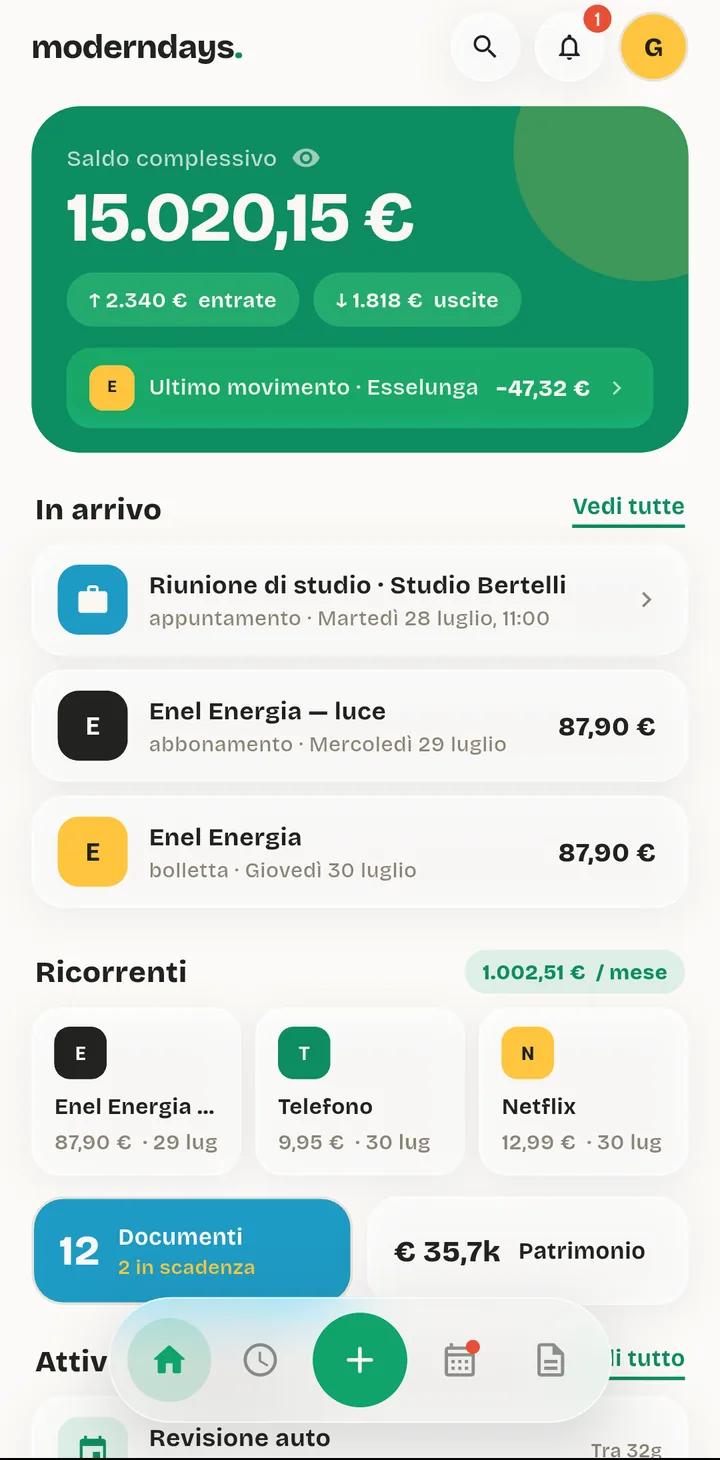
ModernDays is a household expenses app. What you spend, what you owe, and the paperwork behind it, on one phone. Take a photo of a bill and it fills in the amount, the due date and the reminder for you.
Free. Nothing leaves your phone.
The scan
Point the camera at a bill. Your phone reads it, then works out how much, to whom and by when. One photo leaves you with three things: an expense in your accounts, a deadline in your calendar and the document itself, filed and searchable.
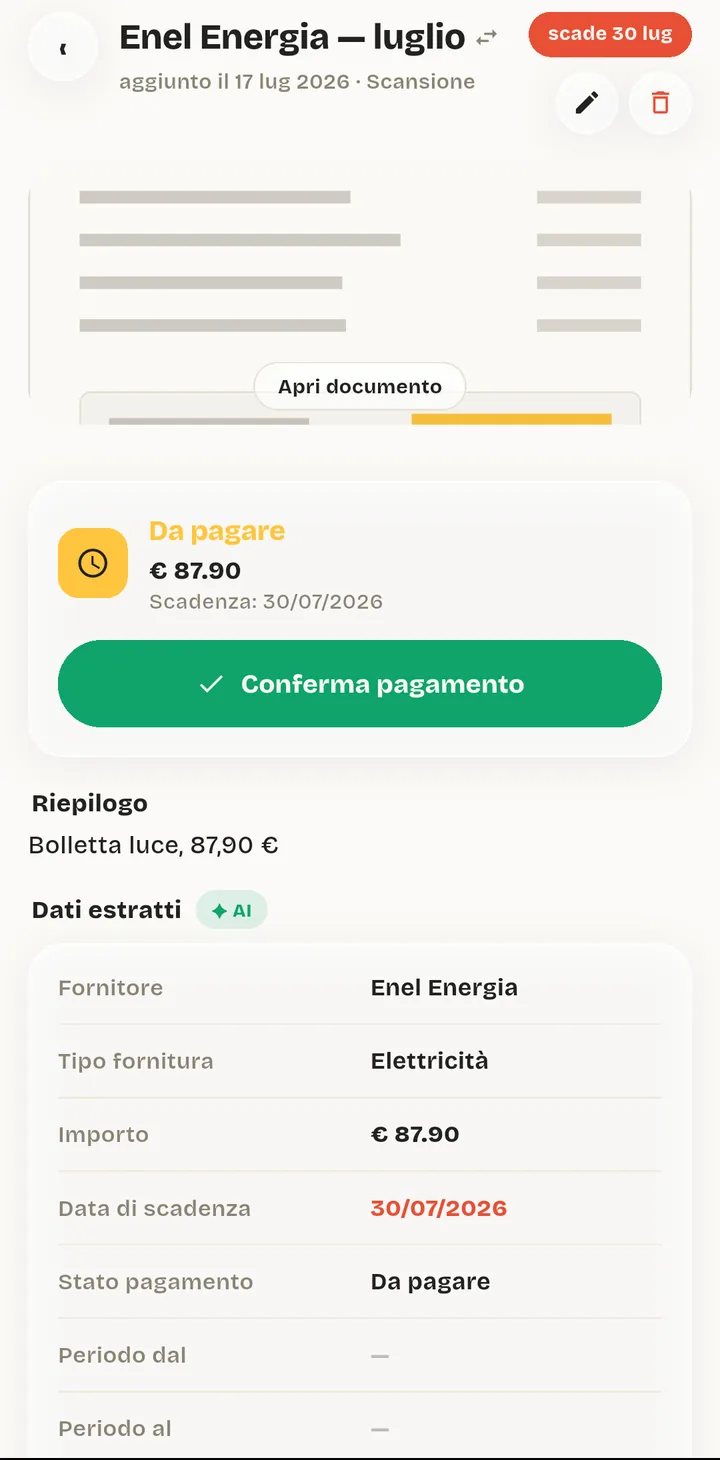
The supplier, the amount, the due date and the payment status, read off the page and filled in for you. The scan stays attached, so the document and the money it costs you are the same thing in the app.
The text recognition runs on your phone, not on a server. Nothing is sent anywhere unless you ask for help understanding it.
Bills, taxes, renewals and appointments all become real dates with real reminders, in the app and in your phone's own calendar.
It recognises the shop or the supplier and files the expense under the right category. Correct it once and it remembers. This also happens offline.
Every bill, contract, payslip and warranty in one place. Search by name, supplier or number plate and it comes back in seconds.
Your money
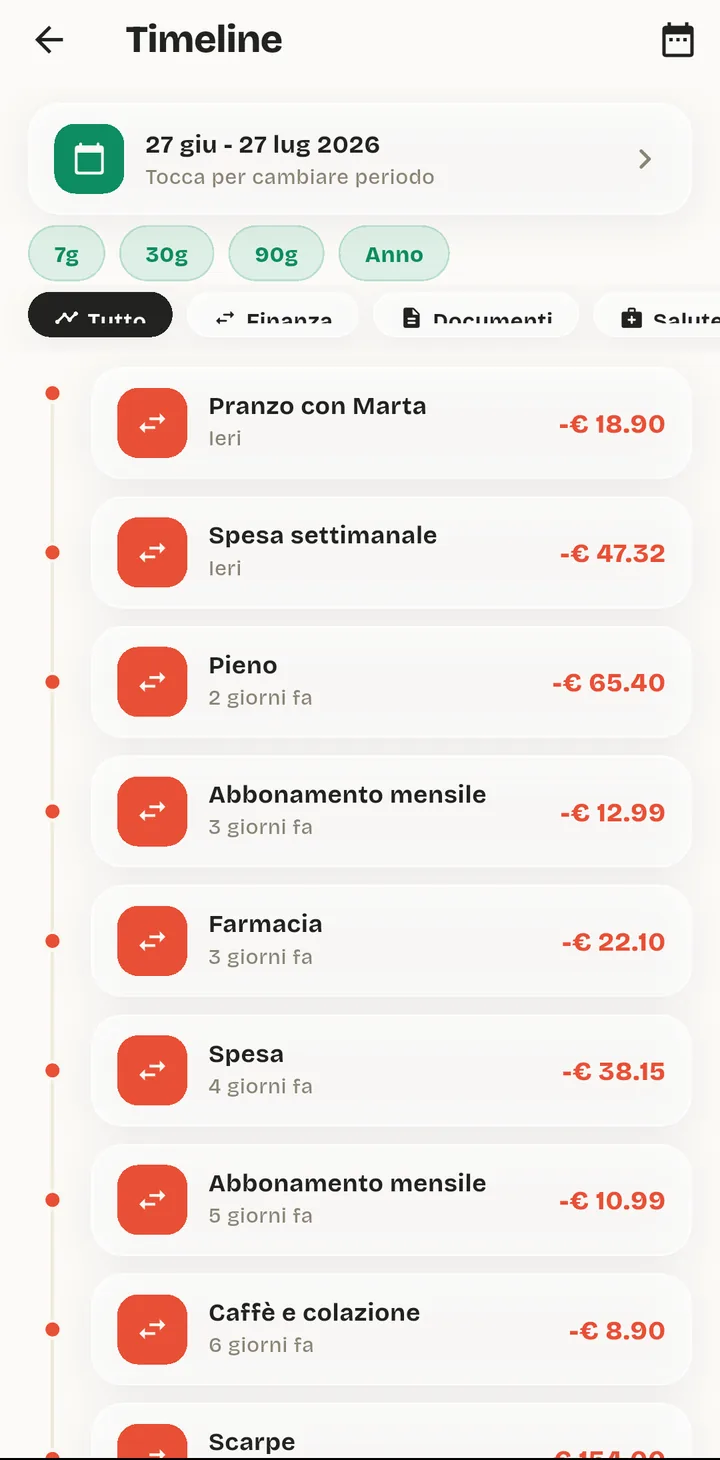
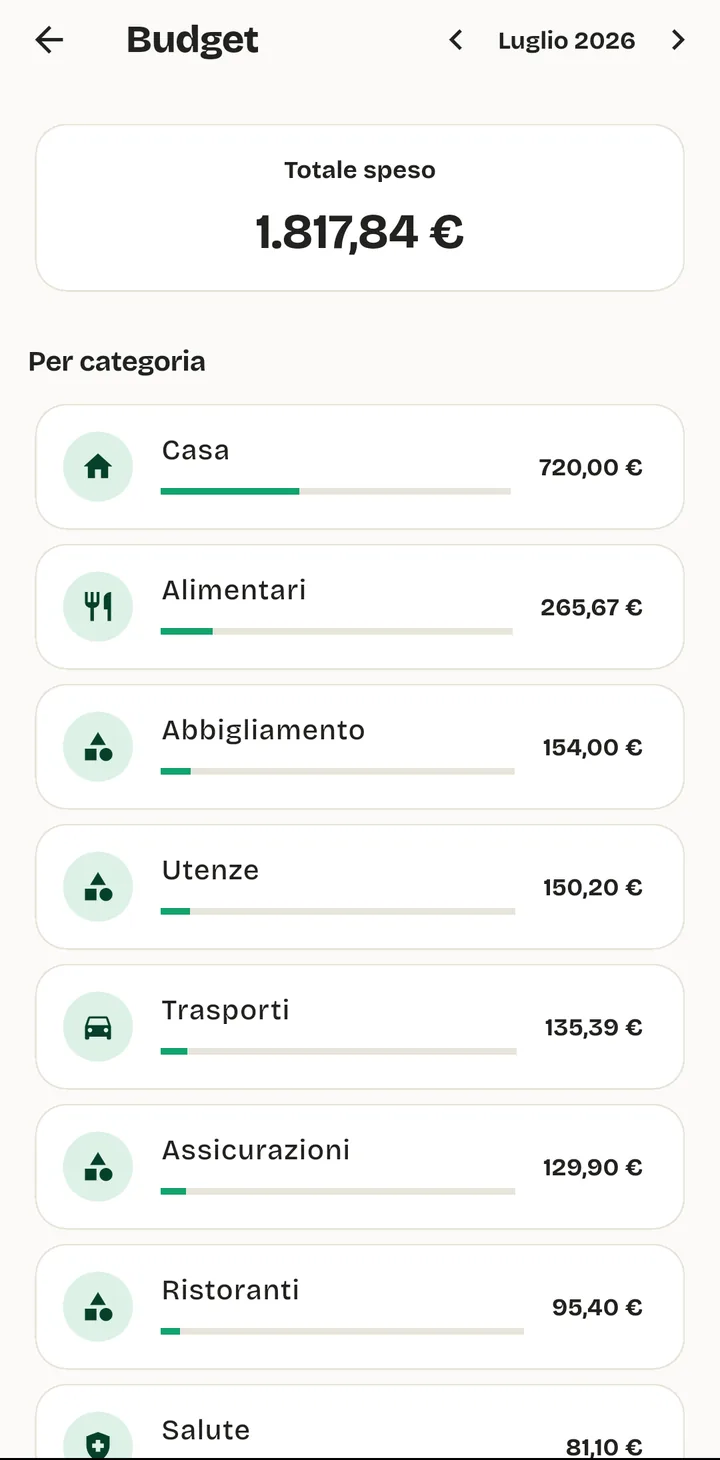
Every account you have, added up into one balance. Every movement in a list you can search and filter. A budget for each category that tells you where you stand before the month ends, not after.
Income against spending, month by month, with what you actually managed to put aside. One score sums it up, so you can tell a good month from a bad one without reading a chart.
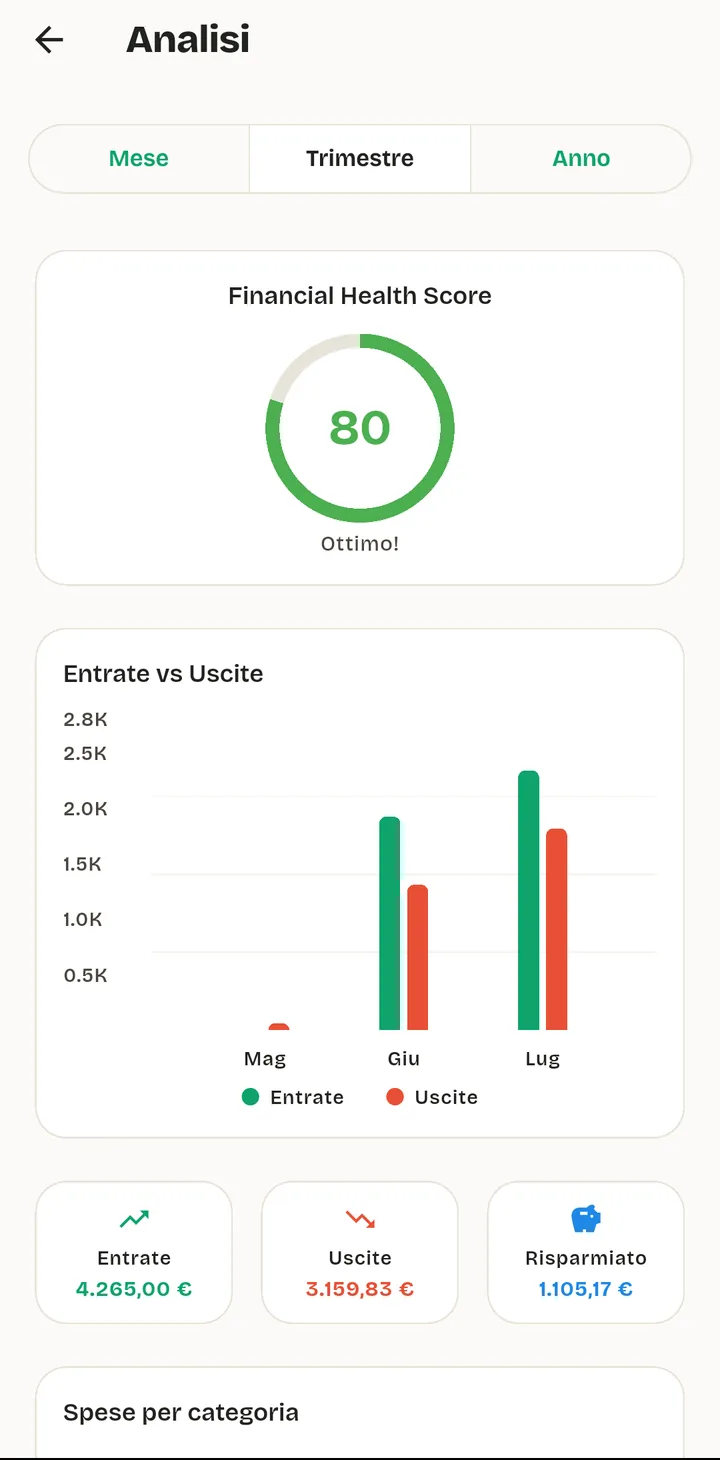
Current account, card, cash, savings. One total, and each account on its own when you need the detail.
Set a monthly limit per category. The app shows what's left while you can still do something about it.
Income against spending, month by month, plus how much you actually put aside. No spreadsheet required.
Bills and subscriptions
Add the rent, the gas, the gym and the streaming once. From then on ModernDays knows what each one costs you a month, when the next one is due and what is already late. You get told before the money goes, not after.
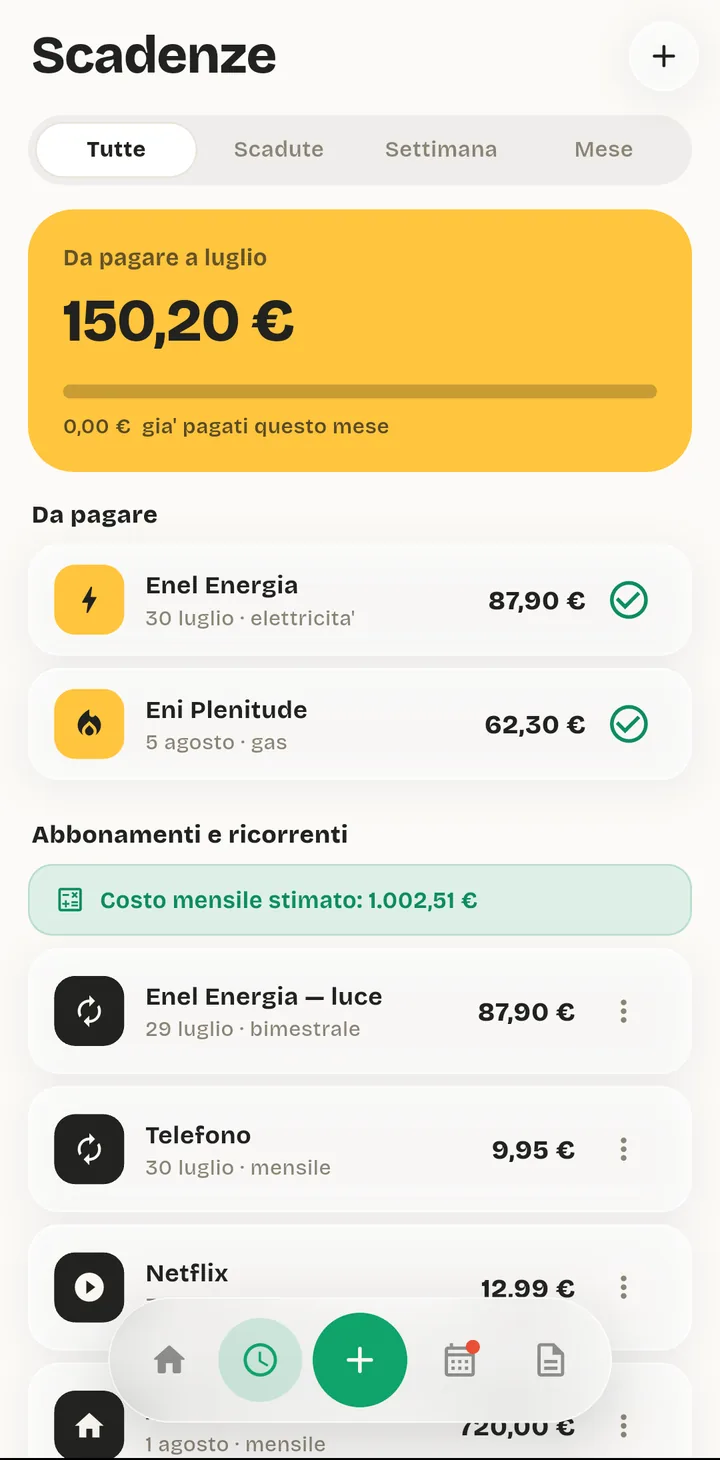
What all your recurring costs add up to, so you can see the subscriptions you've stopped noticing.
A gas bill isn't the same twice. Mark it variable and the app reminds you of the date without inventing the figure.
Bills, taxes, renewals and appointments, in the order they're coming at you.
Your life
The bills are only the start. What this is really for is everything you currently keep in a drawer, four apps and your head.
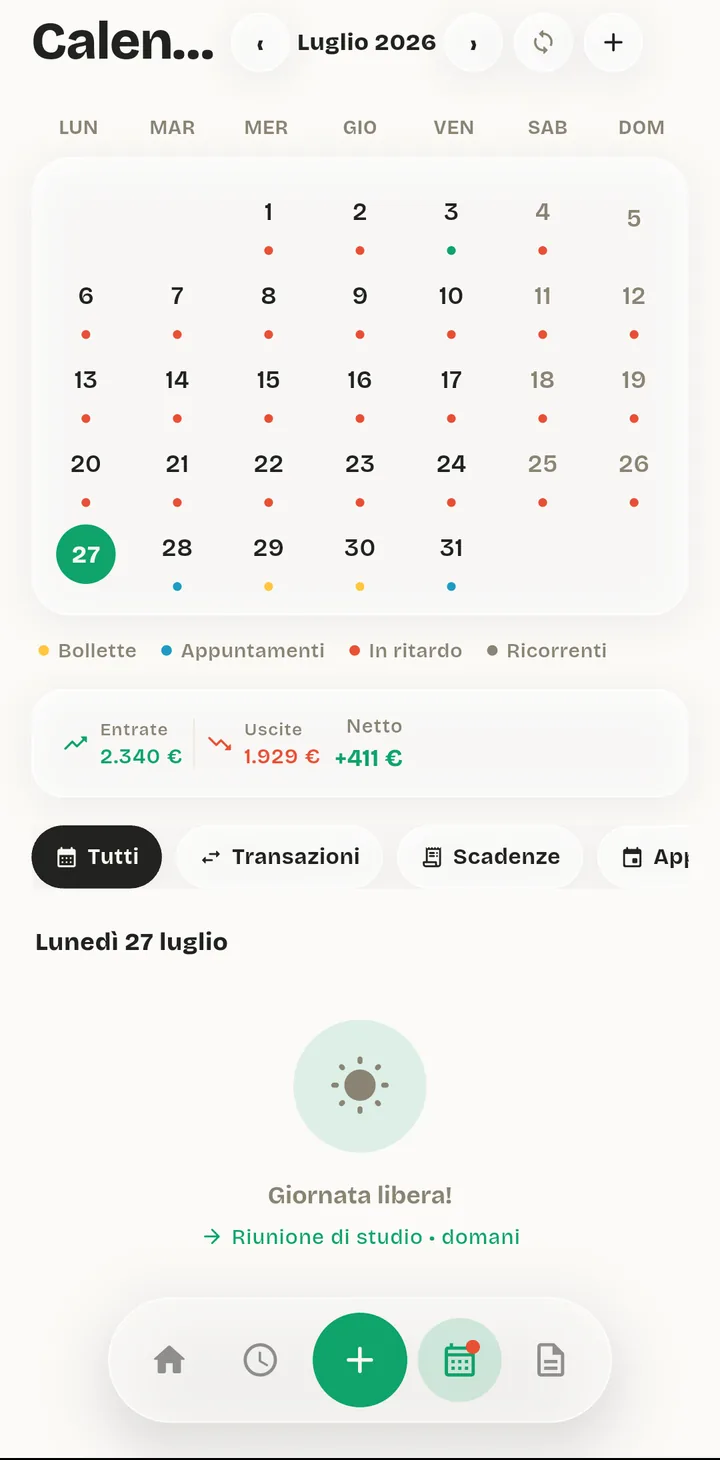
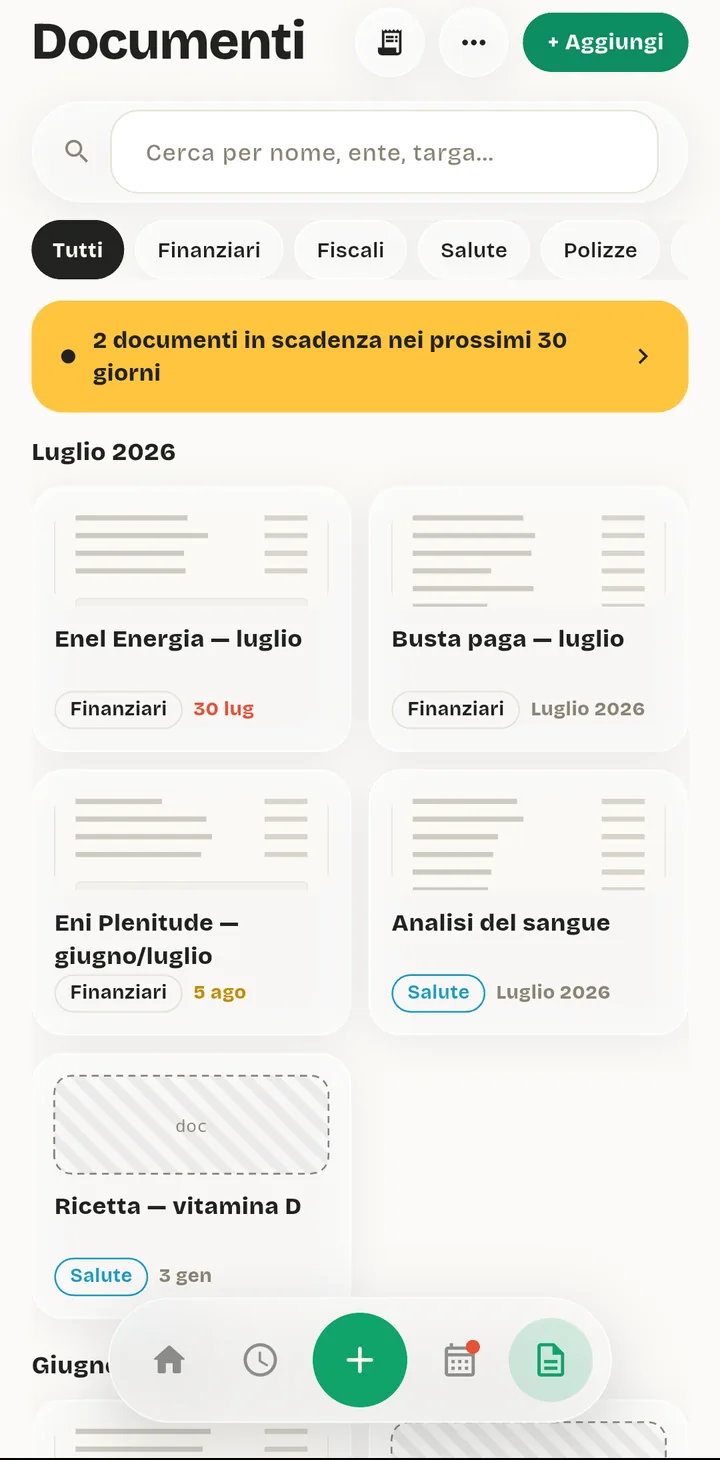
Money and life on the same month. The dentist, the car test and the gas bill in one place, and it can sync with the calendar you already use.
The dentist, the car test, the boiler service. Each one with its place, its time and a reminder before it.
The car, the washing machine, the laptop: when you bought it, what it cost, when the warranty runs out and what's been repaired.
What you're worth
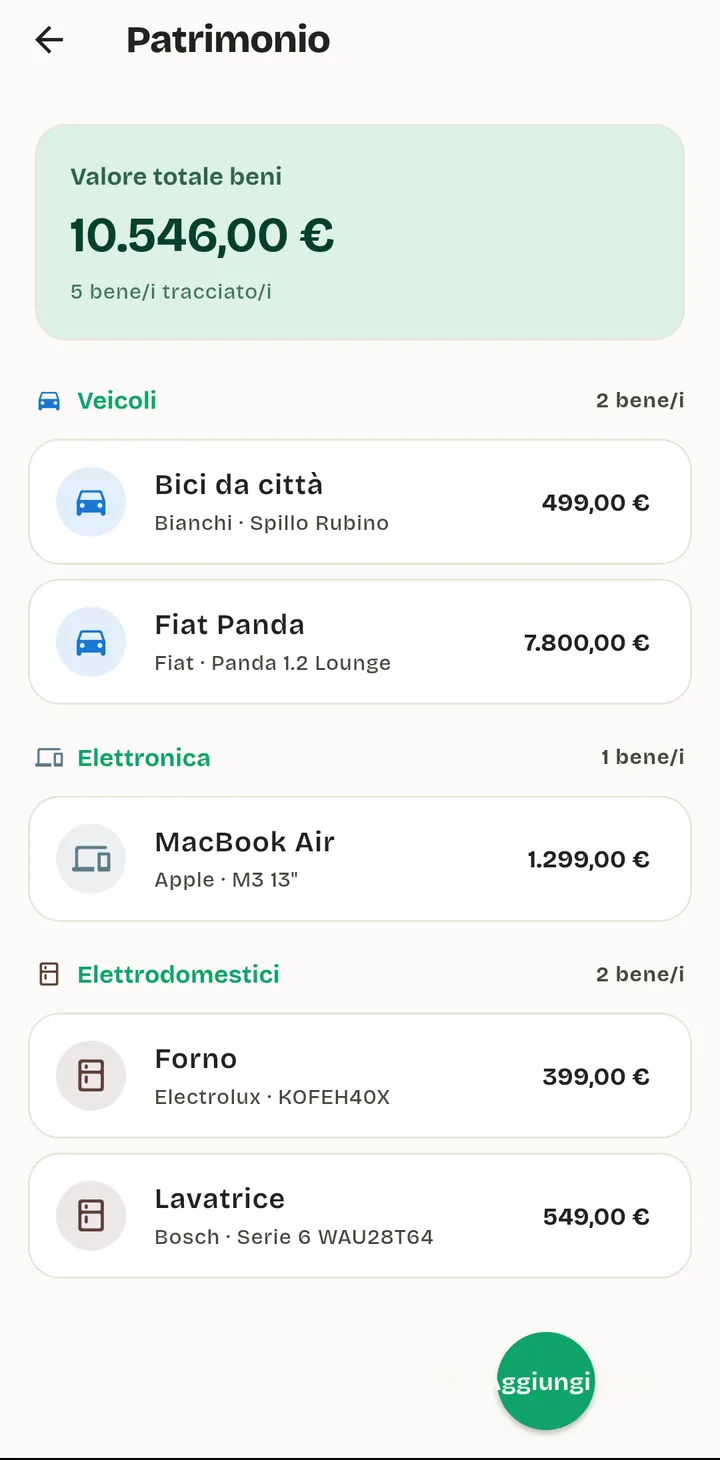
Accounts, things you own and money invested, added into a single figure that updates on its own. Prices refresh once a day, so a portfolio shows what it's worth today and what it has actually earned you.
Just ask
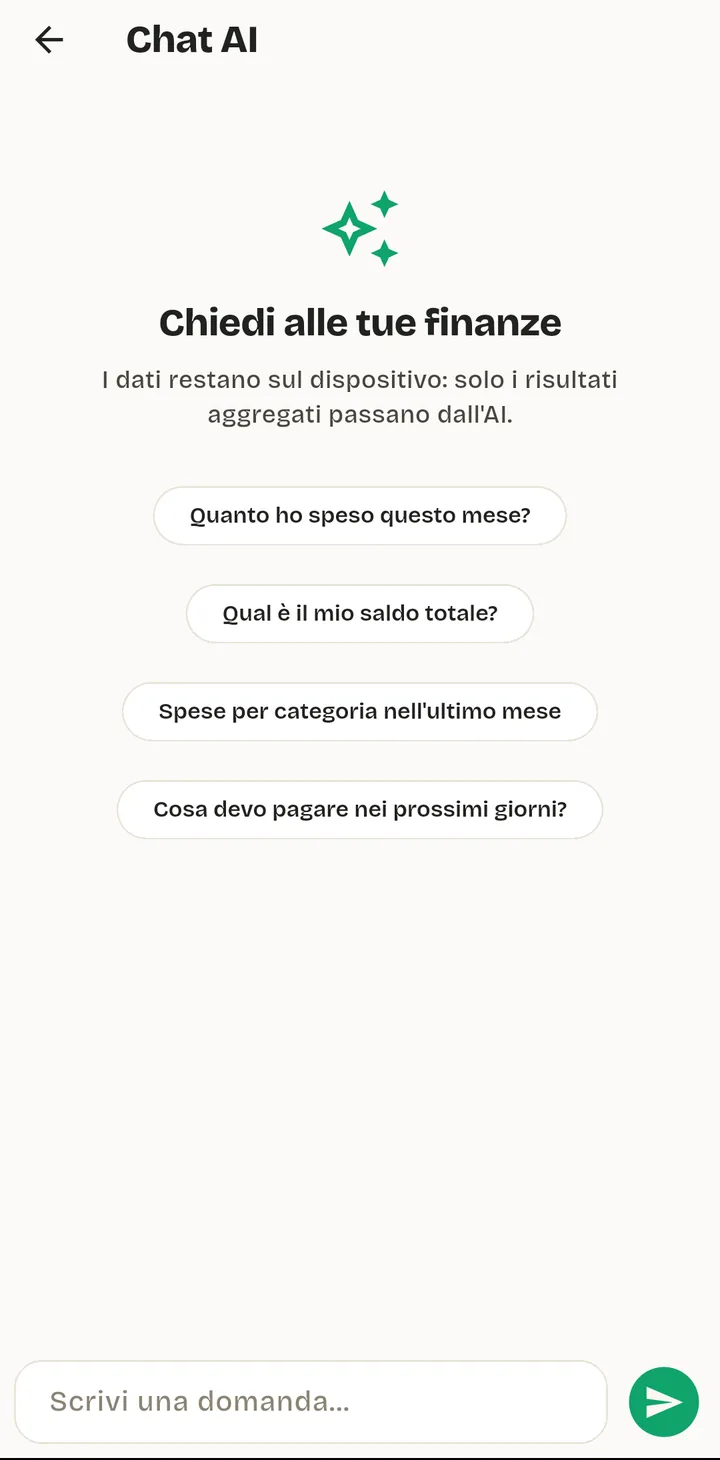
“How much did I spend this month?” “What do I have to pay in the next few days?” Ask in your own words and the answer comes from your own numbers.
The app looks the answer up on your phone and sends only the total it needs to phrase a reply. Your individual transactions never leave the device, and IBANs, tax codes and card numbers are stripped out first.
Your bank
Connect your bank and ModernDays can read your accounts and nothing else. It cannot move money, because it never asks for permission to. You log in on your bank's own site, and what comes back to us is a connection number, never your password.
Which banks
Every major Italian bank, plus Poste Italiane: BancoPosta and Postepay. The first sync can bring in up to two years of history, then it keeps itself up to date. Or skip it entirely and type what you like.
Your transactions land on your phone. They are never kept on our servers.
Privacy
Most money apps make their money from money data. This one can't: your accounts, transactions and documents live in an encrypted database on your phone, and there is no copy of them anywhere else. Turn off the internet and the app still works.
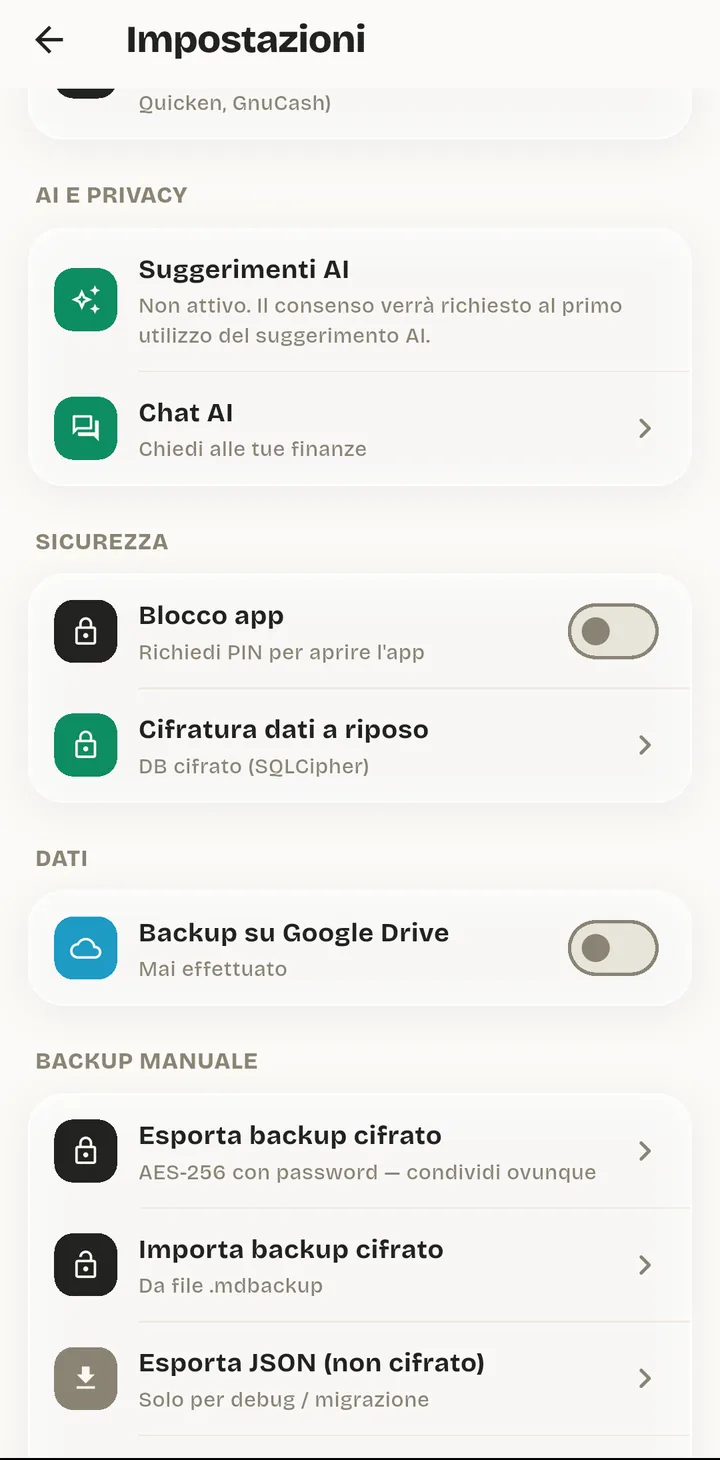
The lock, the encryption and the backup are settings you control, not promises in a policy page. The AI is off until you turn it on, and you can turn it back off.
The database is encrypted on both Android and iOS, and the app locks itself behind a PIN, a fingerprint or Face ID when you put it down.
Backups go to your own Google Drive or iCloud, encrypted with a key we don't have. Restore on a new phone with your password. We can't read it. That isn't a promise, it's arithmetic.
No ads, no data brokers, no training on your spending. There is no second business model here.
Early access
ModernDays is in development and not on the stores yet. Leave an address and we'll write when there's a build worth installing.
One email, when it opens. See our privacy policy.